

Clicking a shortened URL on social media is a security blind spot. When you tap a button in an automated Instagram DM or click a bit.ly link in a creator’s bio, you are blindly trusting the sender. Because URL shorteners obfuscate the true destination, they are frequently weaponized to hide phishing attempts, malicious payloads, or undisclosed affiliate tracking. To protect your device and your privacy, you must understand how to trace and inspect a link before interacting with it.
Table of Contents
- The Risks of Blind Clicking
- Manual URL Expansion (The Technical Method)
- Using Browser-Based Redirect Checkers
- Decoding Social Media Video Links
- Frequently Asked Questions (FAQ)
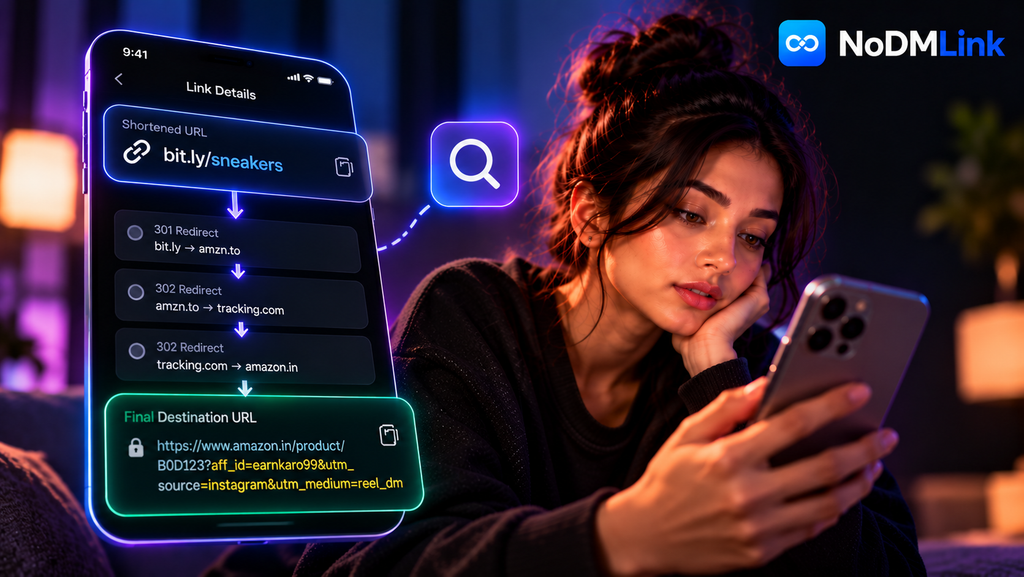
The Risks of Blind Clicking
When you click a hidden link, your browser immediately connects to the specified server. If that server is malicious, the damage occurs in milliseconds. There are three primary risks associated with blind clicking in the creator economy:
- Phishing and Scams: A creator’s account is compromised, and the bot automation is hijacked. The bot sends out thousands of DMs containing a shortened link to a fake Amazon login page designed to steal credentials.
- Undisclosed Affiliate Tracking: Federal Trade Commission (FTC) guidelines mandate that creators disclose financial relationships. Many use URL shorteners specifically to hide affiliate parameters (like
?aff_id=) from users who might otherwise strip them from the address bar. - IP Logging and Fingerprinting: Every hop in a redirect chain logs data. A malicious shortener can harvest your IP address, device model, and operating system version before routing you to a legitimate site, building a shadow profile of your activity.
Manual URL Expansion (The Technical Method)
If you want to verify a link without executing the JavaScript on the destination page, you can use command-line tools to query the server headers directly. The most common tool is curl.
By opening a terminal window and typing curl -I https://bit.ly/example, you instruct the tool to fetch only the HTTP headers, not the website content. The server will respond with an HTTP 301 or 302 status code. Within that block of text, look for the line starting with Location:. The URL listed there is the next hop in the redirect chain. If that URL is also a shortener, you must repeat the curl command until you uncover the final endpoint.
Using Browser-Based Redirect Checkers
Manually tracing links via the terminal is tedious. A more practical approach is using a web-based redirect checker, such as WhereGoes or Redirect Detective. These tools automate the HTTP header inspection process.
You paste the suspicious shortened URL into the tool, and its backend server executes the clicks for you in a sandboxed environment. The tool outputs a mapped list of every server hop. For example, it might show the initial click routing to an affiliate network server, which then routes to a data-logging server, which finally lands on a Shopify product page. This allows you to copy the final, clean Shopify URL and paste it into your browser, bypassing the tracking hops entirely.
Decoding Social Media Video Links
The rise of DM automation created a unique problem: you cannot inspect a button inside an Instagram Direct Message before clicking it. If a creator forces you to comment “SETUP” to receive a link, the resulting DM contains a large, un-inspectable UI button.
To safely uncover where that video is trying to send you, you must bypass the DM interface entirely. This is the primary utility of NoDMLink. Instead of triggering the automation bot, a user simply copies the URL of the public Reel or TikTok video and pastes it into the NoDMLink directory. The platform queries the community-submitted database and surfaces the raw, unshortened destination link associated with that video. You get the exact endpoint without having to trust a blind DM button or navigate a tracking chain.
Frequently Asked Questions (FAQ)
Can an iPhone or Android device be infected just by clicking a link?
Yes, though it is less common than credential theft. Malicious websites can execute “drive-by downloads” using zero-day browser exploits. Simply loading the webpage allows the script to silently install a payload on your device. This is why inspecting a link before your browser renders the page is critical.
Are bit.ly links inherently dangerous?
No. Services like Bitly, TinyURL, and branded shorteners (like amzn.to) are neutral infrastructure tools. However, because they are free and accessible, they are the preferred tool for bad actors attempting to mask malicious endpoints.
What does a 404 error mean during a redirect trace?
If a redirect checker hits a 404 Not Found error, it means the shortened link has expired, the creator deleted the custom redirect routing on their dashboard, or the affiliate network terminated the tracking campaign.