

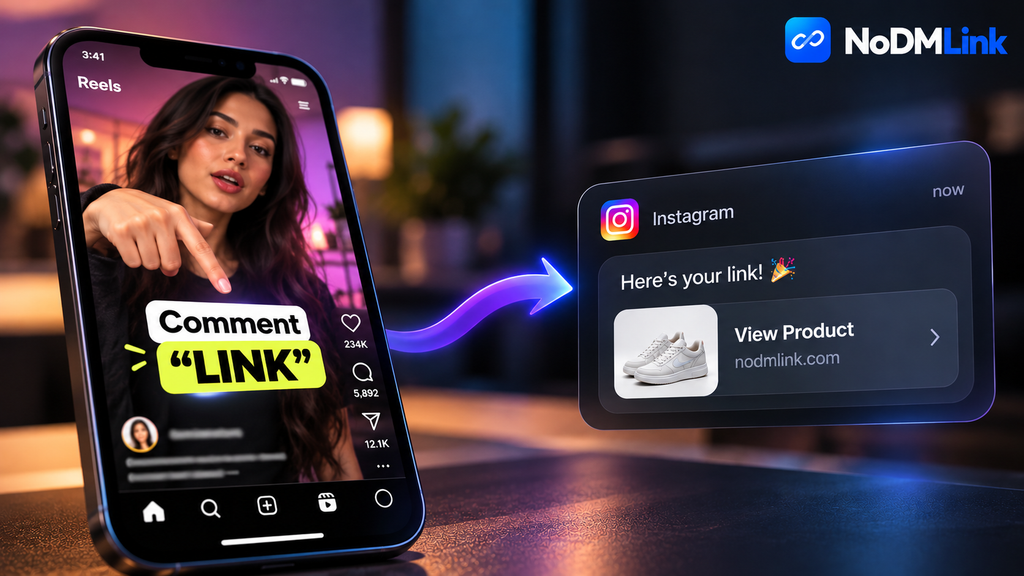
If you have scrolled through Instagram Reels recently, you have seen it. Every creator points to the screen and tells you to comment a specific word—like “LINK”, “DRESS”, or “SETUP”—to receive a product link in your direct messages. This is not an accident. It is a mathematical manipulation of the Instagram algorithm. By forcing users to comment to access a link, creators artificially inflate their engagement metrics, bypass the platform’s restrictive link-in-bio limitations, and utilize API-driven DM automation tools to send direct product URLs right to your inbox.
Table of Contents
- The Link-in-Bio Bottleneck
- The Algorithmic Shift to Engagement
- Enter DM Automation and The Messenger API
- Friction vs. Conversion Rates
- The User Experience Problem
- Frequently Asked Questions (FAQ)
The Link-in-Bio Bottleneck
Instagram was designed as a walled garden. The platform actively hates when users leave the app. Because of this, they refuse to make links clickable in standard post captions. For years, creators relied on the “Link in Bio” strategy.
You know the drill. A creator posts a video, tells you to go to their profile, click the single URL allowed in their bio, and hunt for the specific product on a third-party landing page (like Linktree or Beacons). This process introduces massive friction. Every extra click required by a user results in a severe drop-off in conversion rates. If 10,000 people watch a Reel, maybe 100 will click the profile, 20 will click the bio link, and 2 will actually find the product.
Creators needed a way to deliver a single, direct URL to a user without sending them on a scavenger hunt. The direct message inbox became the only viable conduit.
The Algorithmic Shift to Engagement
You cannot understand the “Comment LINK” trend without understanding how the Explore and Reels algorithms score content. The system uses a weight-based scoring metric to decide if a video goes viral.
- Views: Baseline metric. Low weight.
- Likes: Basic engagement. Moderate weight.
- Comments: High intent. Heavy weight.
- Shares/Saves: Maximum intent. Highest weight.
If a creator simply posts the link in their bio, viewers watch the video and leave. The video gets 10 comments. If the creator tells the audience they must comment to get the link, the video suddenly gets 5,000 comments. The algorithm looks at this massive spike in interaction and assumes the content is highly engaging, pushing it to millions of more feeds.
It is a growth hack. The creator gets higher reach, and the user gets the link delivered directly.
Enter DM Automation and The Messenger API
This strategy did not exist at scale before 2021. That year, Meta officially opened the Instagram Messenger API to third-party developers. This allowed software companies like ManyChat to build visual flow builders for Instagram DMs.
Here is exactly how the technical workflow operates on the backend:
- A user comments “SETUP” on a specific Reel ID.
- The Instagram Graph API fires a webhook payload to the automation server.
- The automation script parses the comment text. If it matches the exact keyword string (ignoring case), it triggers the next node.
- The server executes an API POST request back to Instagram, instructing the account to send a predefined message block containing the specific URL to the user’s sender ID.
This happens in milliseconds. The creator never touches their phone. A single Reel can process 100,000 automated DMs in a day without triggering Instagram’s spam filters, provided they are using an approved API partner.

Friction vs. Conversion Rates
Marketers love this because the math is undeniable. Sending a direct message with a single call-to-action button yields astronomical Click-Through Rates (CTR). In many cases, users opening the DM and clicking the link hover around 70-80%.
When you compare this to the 1-2% CTR of a Link-in-Bio strategy, the transition makes perfect sense. The creator gets paid out significantly more through affiliate networks like EarnKaro or Amazon Associates because they are effectively forcing the user into a private, 1-on-1 sales funnel.
The User Experience Problem
While the strategy benefits the algorithm and the creator’s wallet, it often degrades the user experience. You just want the link to a pair of shoes. You do not want to fill up your comment history, you do not want an automated bot flooding your inbox, and you do not want to wait if the third-party API is experiencing rate limits.
Often, privacy settings prevent the bot from sending the message. If you have “Don’t receive requests” turned on in your Instagram privacy settings, the automation fails silently. You commented for nothing.
This exact friction is why users are turning to bypass tools. If you see a Reel and want the link immediately without playing the algorithm’s game, you can simply drop the Reel URL into NoDMLink to instantly extract the destination. Tools like this represent a shift back to user control, allowing you to bypass the engagement bait entirely.
Frequently Asked Questions (FAQ)
Does Instagram penalize accounts for using DM automation?
No. Meta actively encourages it. They opened the Messenger API specifically to facilitate business automation. As long as the creator uses an officially approved third-party tool like ManyChat or Chatfuel, they will not be shadowbanned for automating responses.
Why did I comment the exact word but never received the DM?
This usually happens for three reasons. First, your privacy settings might block message requests from accounts you do not follow. Second, the creator’s automation software might have temporarily exceeded its API rate limit. Third, the creator may have made a typo when setting up the keyword trigger in their software.
Are the links sent in these automated DMs safe?
Usually, yes. They are almost always affiliate links that redirect to popular storefronts. However, because the link is hidden behind a button in the DM, you cannot inspect the URL before clicking. If you want to verify the destination safely, you can use browser tools to inspect the redirect chain.